Free VST instruments worth installing
These are established free instruments and free VST players from developers who keep them maintained. Formats and system support change, so check each developer's page before you download.
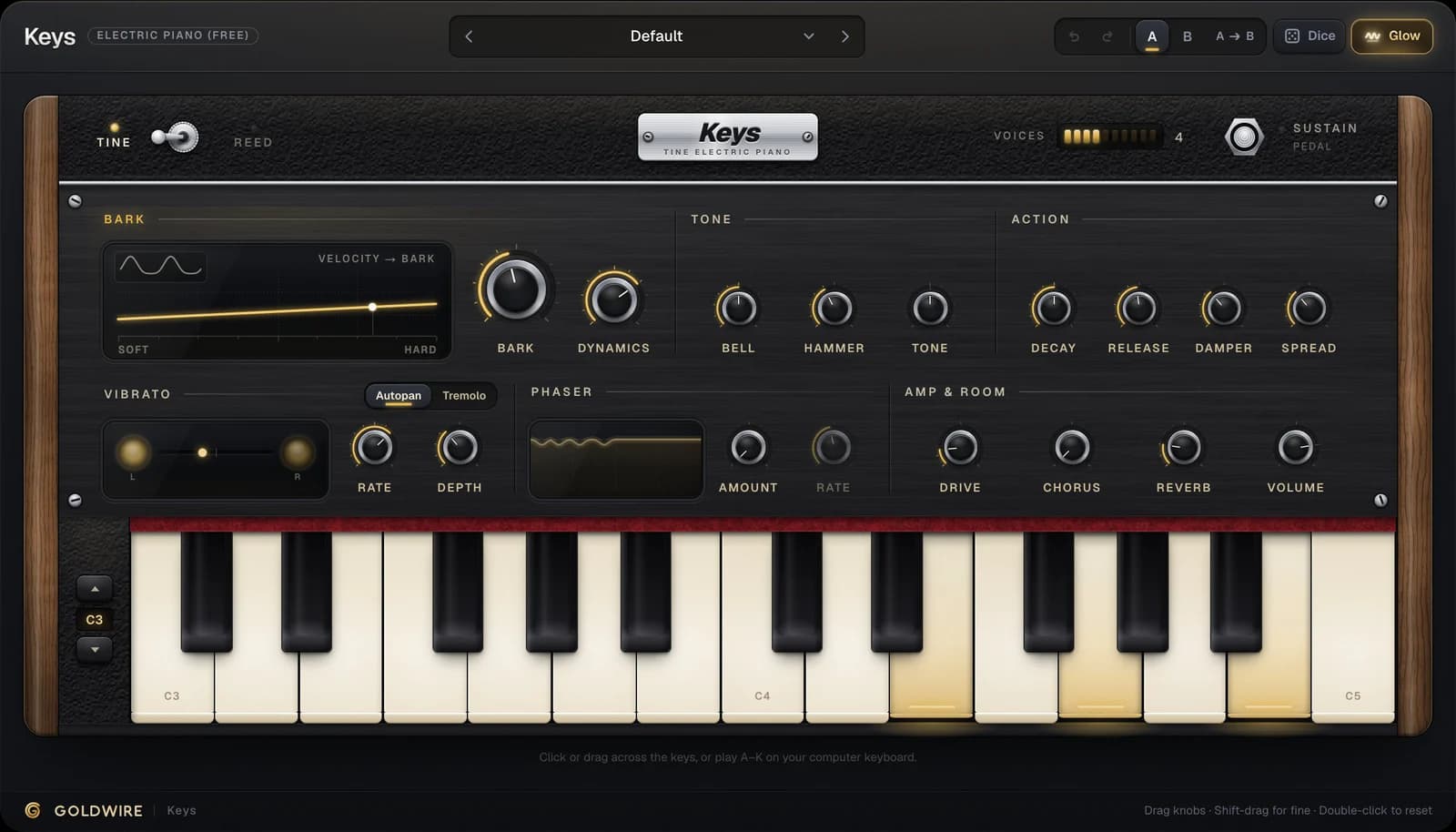
Keys (ours)
- Type
- Electric piano
- Why it's worth a slot
- Tine and reed models with velocity bark, tremolo, phaser and drive. 45 presets
Surge XT
- Type
- Synth
- Why it's worth a slot
- An open-source hybrid synth with deep modulation and a huge preset library
Dexed
- Type
- FM synth
- Why it's worth a slot
- A free DX7 synth VST: modelled on the Yamaha DX7 and loads its patch banks
TAL-NoiseMaker
- Type
- Analog-style synth
- Why it's worth a slot
- Simple, light on CPU, good basses and leads
Spitfire LABS
- Type
- Sampled instruments
- Why it's worth a slot
- A growing set of free pianos, strings, textures and more
Decent Sampler
- Type
- Sample player
- Why it's worth a slot
- Plays a large catalog of free sample libraries made for it
MT Power Drum Kit 2
- Type
- Acoustic drums
- Why it's worth a slot
- A sampled rock and pop kit with built-in grooves
Sitala
- Type
- Drum sampler
- Why it's worth a slot
- Drag in your own one-shots and play them from pads
Keys is the one free instrument we make. It models the electric piano rather than sampling it, so it's small to install and responds smoothly to how hard you play. Soft notes are round and warm; hard notes bark. The demo below runs the Classic Tine Stage preset; play it from your computer keyboard.
Bark
Tone
Action
Vibrato
Phaser
Amp & room
Click or drag across the keys, or play A–K on your computer keyboard.
The real plugin engine, running in your browser: same DSP code and presets as the VST3/AU/AAX.
For pianos specifically, our best free piano VST guide compares acoustic and electric options, and the Rhodes piano VST guide covers electric pianos in depth.
Free FL Studio instrument packs and stock instruments
Before downloading anything, open what FL Studio already gives you. FLEX is a preset-based instrument with free sound packs you can download from inside the plugin, which makes it the closest thing to free FL Studio instrument packs from Image-Line itself. FL Keys covers piano and electric piano, 3x Osc is a simple subtractive synth, and FPC is a pad-based drum sampler. Higher editions add more instruments.
Any VST3 instrument also works as an instrument for FL Studio: install it, rescan in the Plugin Manager, and add it from the Channel Rack. The FL Studio plugins page covers install folders and scanning.
Free drums for FL Studio and any DAW
- Stock first. FL Studio's FPC and the drum samples in the browser's Packs folder are enough for most beats. Ableton Live's Drum Rack and Logic Pro's Drum Machine Designer do the same job.
- Acoustic kits. MT Power Drum Kit 2 gives you a playable sampled kit with grooves you can drag into the playlist.
- Your own samples. Sitala, or your DAW's sampler, turns any folder of one-shots into a kit.
- Synthesized drums. Our Thump drum machine is paid, not free, but every kit plays in the browser, so you can hear what synthesized, tunable drums add before deciding.
Free effects to pair with them: Pump and Spread
Free instruments sound better with two simple moves: room for the kick and width that survives mono. Our other two free plugins do exactly that.
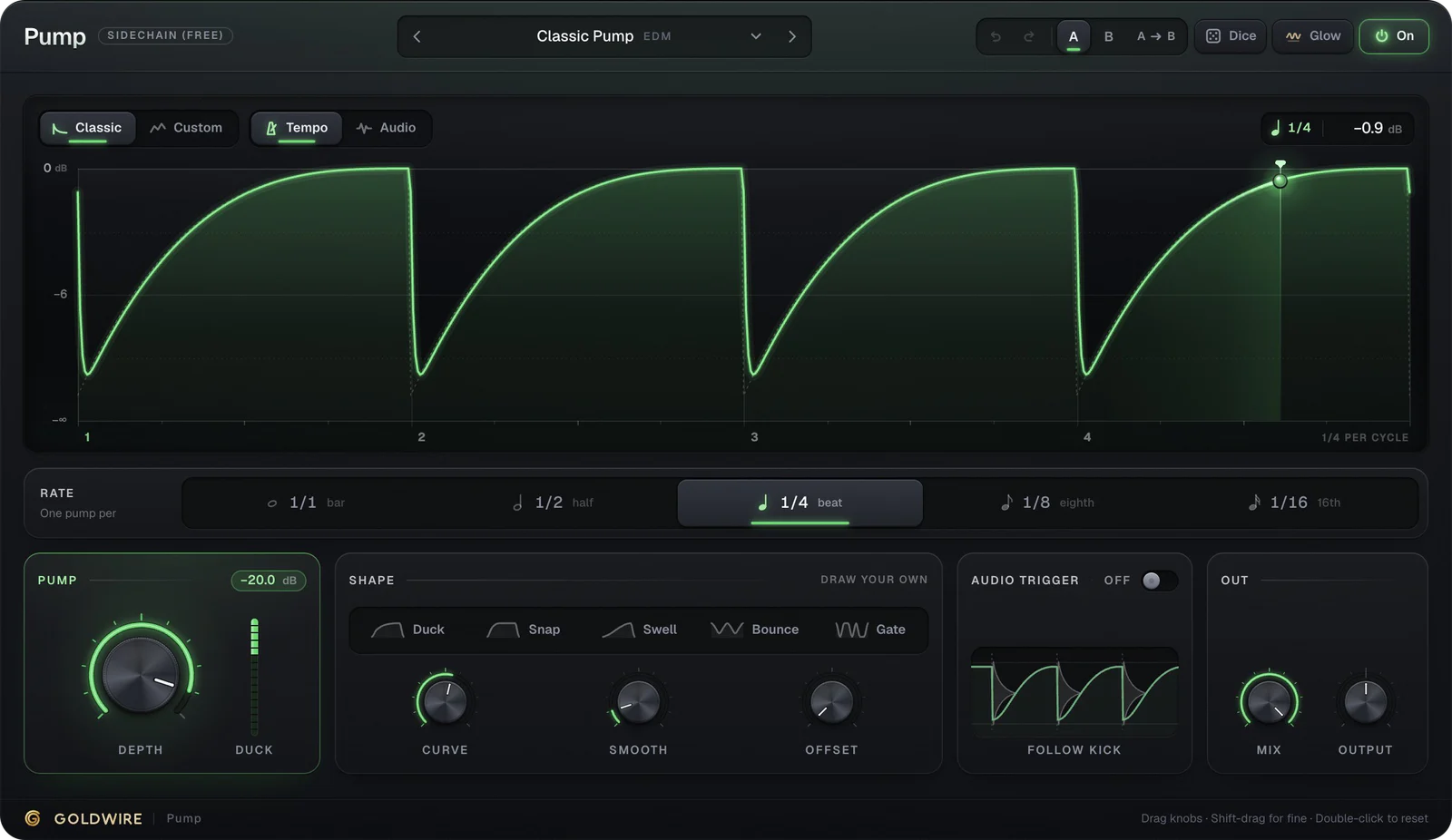
- Pump is a free sidechain plugin. It ducks pads, basses and keys in time with your project, with no sidechain routing. Classic Pump is the standard quarter-note duck; switch Trigger to Audio and it follows your actual kick.
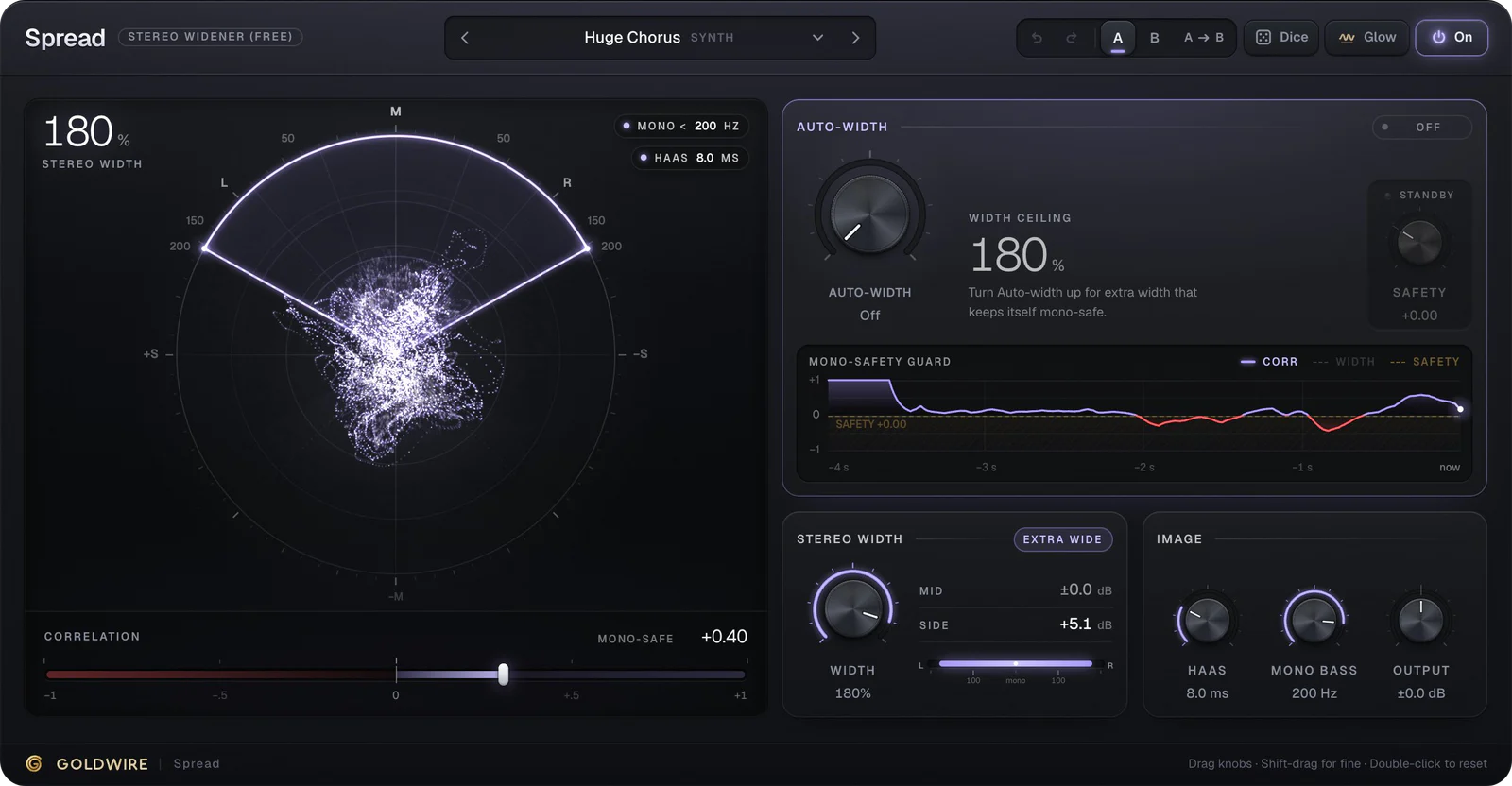
- Spread is a free stereo widener with a Mono Bass control, so synths and keys get wider while the low end stays centered. Keys Wide Auto suits electric pianos; Synth Pad Huge suits pads.
All three free plugins are on our free plugins page, and our free online tools handle quick jobs in the browser: online autotune, a pitch shifter and an online reverb, each with a WAV download.
How to spot good VST freebies
- Download from the developer. Free plugins re-hosted on random sites are a common route for malware. If a paid plugin is offered free by someone other than its maker, it's cracked.
- Check the formats. You need VST3 for most DAWs, AU for Logic Pro and AAX for Pro Tools. Older freebies may be VST2-only or 32-bit, which modern hosts don't load.
- Check your system. On a Mac, look for Apple Silicon support. On Windows, 64-bit is standard.
- Install fewer, learn them better. Ten synths you barely know slow you down more than one you know well.
- Watch the strings. Some freebies require an account, an installer app or a mailing list sign-up. That's fine if you know before you click.
Loading free VST instruments in Ableton, FL Studio, Pro Tools and Logic
- Ableton Live: turn on VST3 system folders in Settings, then drag the instrument from Plugins onto a MIDI track. See Ableton plugins.
- FL Studio: rescan in the Plugin Manager and add the instrument from the Channel Rack.
- Pro Tools: only AAX instruments load. Insert them on an Instrument track. See Pro Tools plugins.
- Logic Pro: only AU instruments load. Choose them in the Instrument slot of a Software Instrument track. See Logic Pro plugins.