
Types of guitar plugins and what each one does
A guitar sound is several jobs in a row. A clean part may need only an amp and reverb; heavy rhythm may use every row.
Amp sim
- What it does
- Turns a clean DI into an amp tone
- Where it goes
- The center of the chain
- Ours
- Stack
Cabinet or IR
- What it does
- Adds the speaker, mic and room
- Where it goes
- Right after the amp
- Ours
- Built into Stack
Drive and fuzz
- What it does
- Pushes the amp or adds grit
- Where it goes
- Before the amp
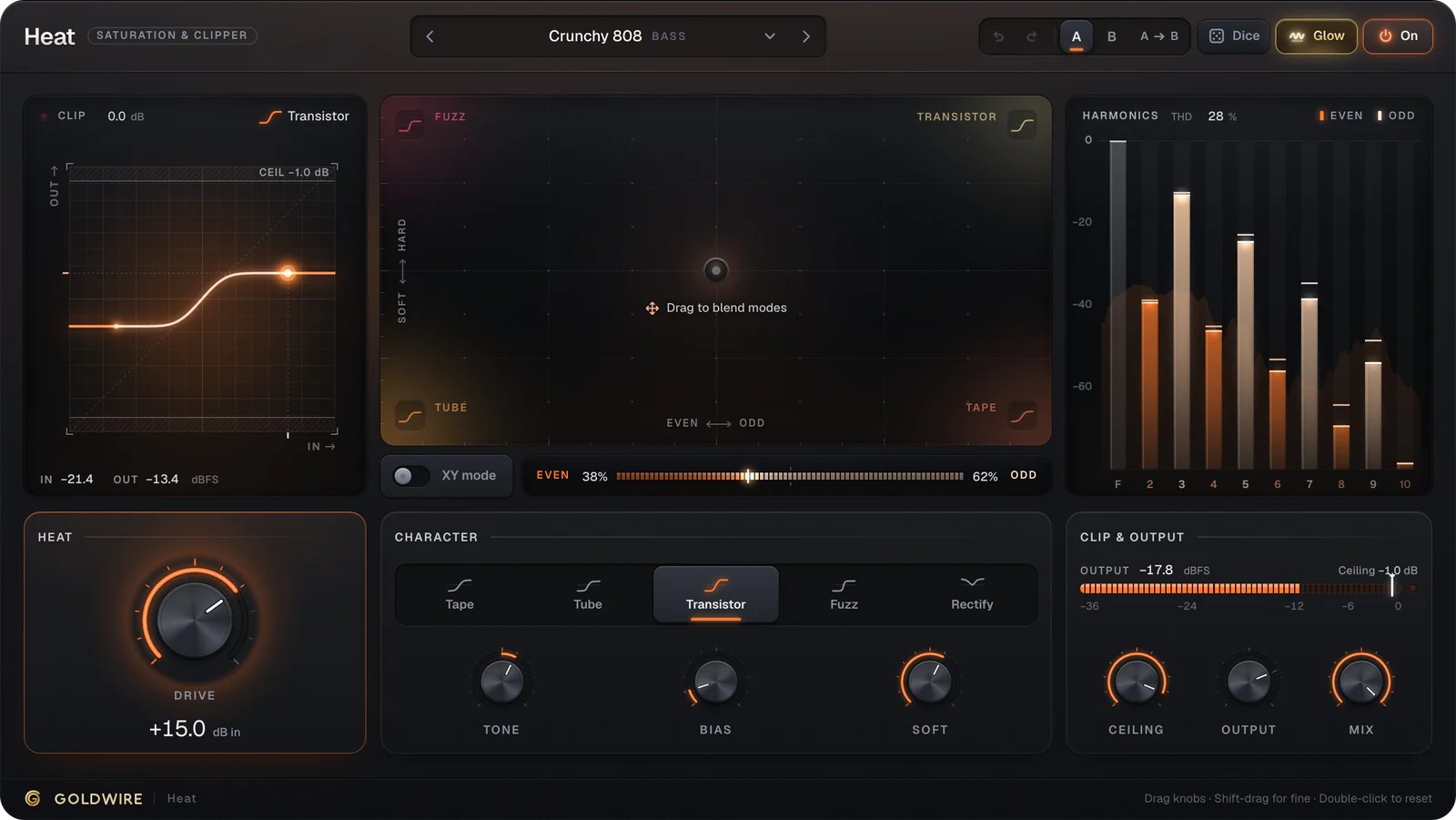
- Ours
- Stack's Drive Pedal, Heat
Compressor pedal
- What it does
- Evens out picking
- Where it goes
- First, before drive
- Ours
- Stack's Comp Pedal
Chorus
- What it does
- Width and shimmer on clean parts
- Where it goes
- Before the amp, or after it for a cleaner sound
- Ours
- Stack's Chorus Pedal
Delay
- What it does
- Slapback, echoes and dub repeats
- Where it goes
- After the amp
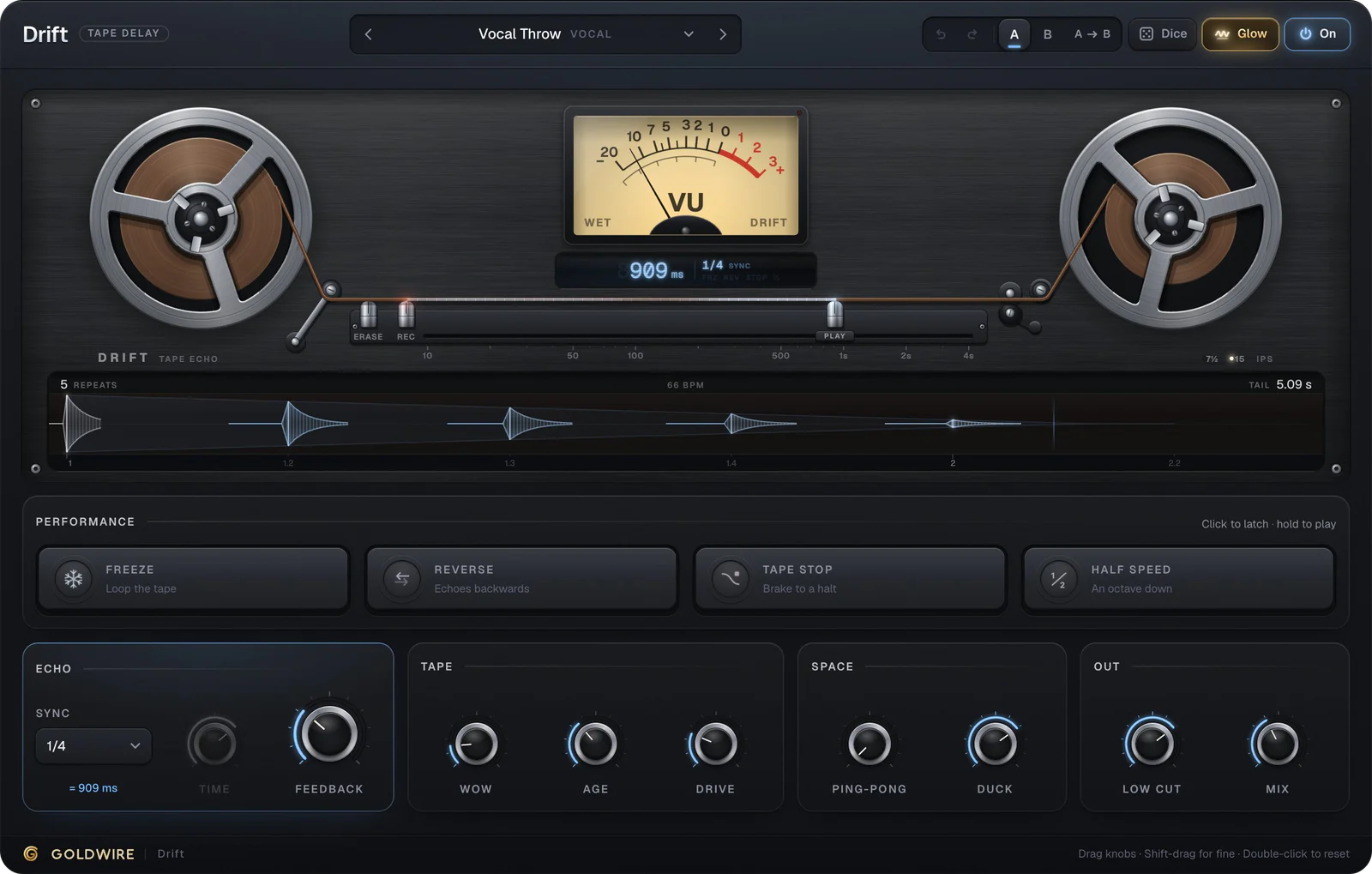
- Ours
- Drift
Reverb
- What it does
- Space, from a small room to an ambient wash
- Where it goes
- After the amp and delay
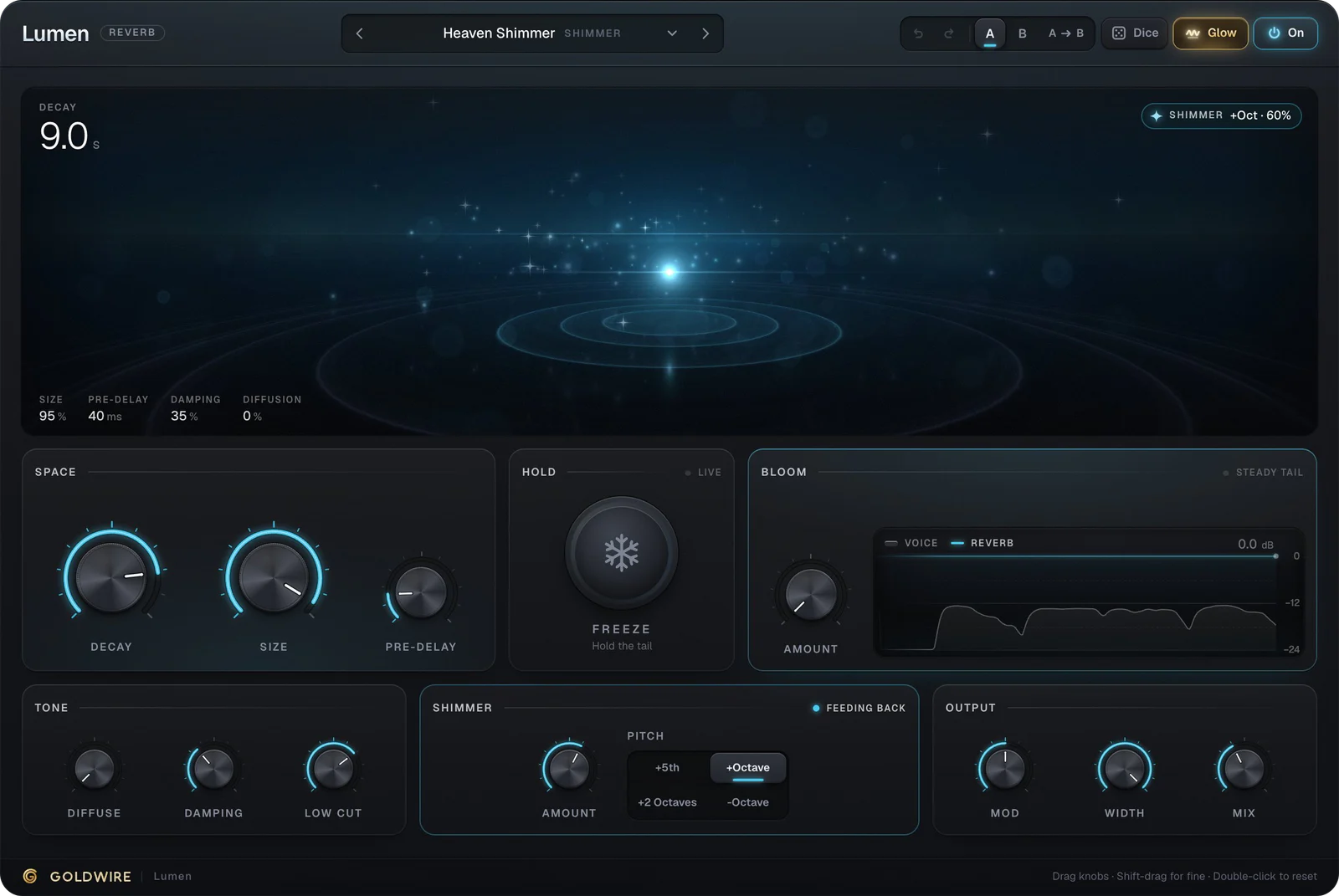
- Ours
- Lumen
EQ
- What it does
- Removes mud and fizz so the guitar fits the mix
- Where it goes
- Last, or after the cab
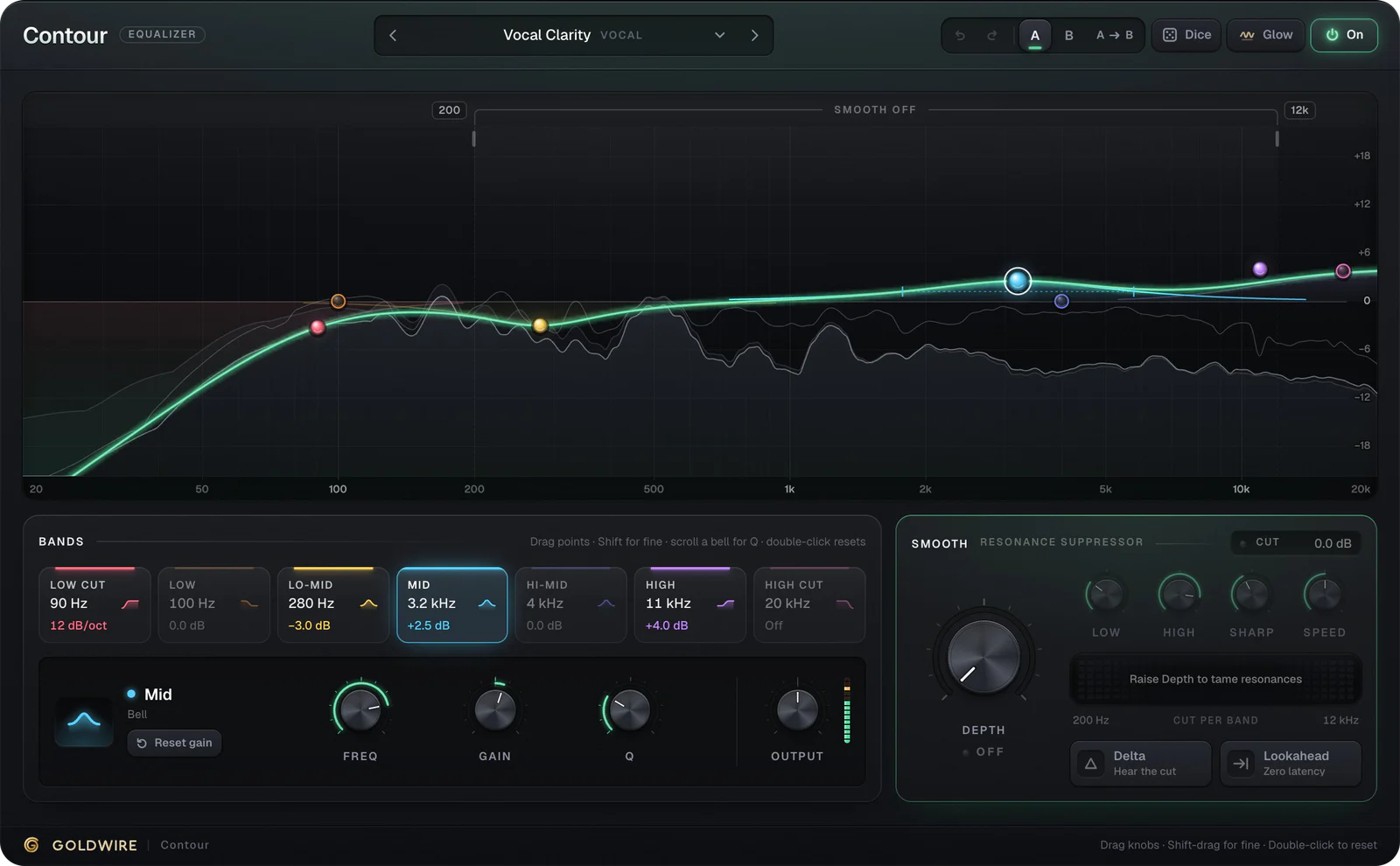
- Ours
- Contour
Transient shaper
- What it does
- More pick attack or a softer strum
- Where it goes
- After the amp, or on acoustic guitar
- Ours
- Snap
Guitar amp plugins: the center of the chain
The amp sim decides most of your tone. Stack has four amps (Clean, Crunch, Lead and Bass) with tone controls solved from the real passive tone-stack circuits, so Bass, Mid and Treble interact like they do on a real amp. Five cabinet choices and a mic you slide from the bright cone center to the darker edge finish the sound, or set the cab to Off (DI) and use your own impulse responses.
Classic Rock Stack below is the Crunch amp into a 4x12 closed cab, with the power amp pushed so it compresses on hard chords.
Cabinet
4x12 ClosedMic position
Drag the micRoom & output
Pedalboard
The real plugin engine, running in your browser: same DSP code and presets as the VST3/AU/AAX.
For more amp sims, free ones included, see the best guitar amp plugins.
Guitar effects plugins: drive, delay and reverb
Effects give a part its character. Heat is a saturation plugin with guitar presets such as Clean Edge, Mid Drive and Fuzz Box; put it before Stack as an extra pedal, or after it for grit on the finished tone.
Drift is a tape delay. Rockabilly Slap is a single short echo with a little tape drive, the classic slapback for rockabilly and country, and the dub presets push feedback for long, darkening repeats. Lumen covers reverb, from Small Room to Guitar Swell, which ducks the reverb while you play and lets it bloom in the gaps, and Heaven Shimmer for octave-up ambient pads.
Performance
Echo
Tape
Space
Out
The real plugin engine, running in your browser: same DSP code and presets as the VST3/AU/AAX.
Electric guitar plugin chain: the order that works
- Gate and compressor, so noise and uneven picking are handled first.
- Drive or fuzz, to push the amp.
- Modulation such as chorus, if you want the classic pedal sound.
- Amp and cabinet, the core of the tone.
- EQ, to cut low-end mud and high fizz.
- Delay, then reverb, on the track or on sends.
Stack runs steps one to four in that order inside one plugin; add Drift, Lumen and Contour after it. If the guitar sounds fizzy in the mix, try Electric Guitar Bite or Guitar Fizz Tamer in Contour, which cuts the top and smooths harsh resonances only when they appear.
Free guitar plugins and stock options
You can record good guitar without buying anything. Logic Pro and GarageBand include amp sims and pedalboards, and Ableton Live includes Amp, Cabinet and Pedal devices depending on your edition. Free third-party guitar VST plugins include Neural Amp Modeler, which loads captures of real amps, AmpliTube Custom Shop and Guitar Rig Player.
Our own plugins are paid, but every preset of Stack, Drift, Lumen, Heat and Contour plays on its product page in the browser, running the same engine as the plugin. Our free plugins are on the free plugins page.
Best guitar plugins: how to choose
- Start with the amp. A good amp sim matters more than any effect after it.
- Check the cabinet options. Mic position and IR support change a tone more than most amp knobs.
- Test with your own guitar. Your pickups and playing decide what sounds good, not someone else's demo.
- Check formats. Pro Tools needs AAX, Logic Pro needs AU, and most other DAWs use VST3.
- Mind the CPU. Several amp sims add up; print tones if you need to.
Guitar plugins for Ableton, Pro Tools and FL Studio
Ableton Live: set the audio track's input to your interface and Monitor to In, then drop the amp sim on the track and effects after it. See plugins for Ableton.
Pro Tools: plugins must be AAX. Create a mono audio track on the instrument input and stack the plugins on its inserts, top to bottom. See plugins for Pro Tools.
FL Studio: set a Mixer insert's input to the guitar channel and load the amp sim and effects in its slots. See plugins for FL Studio. For the hardware side, read how to record guitar into a computer.