Types of reverb plugins and when to use each
Reverb types are named after the spaces and hardware they imitate. Pick the type for the job first and the plugin second. A great hall on a busy drum loop will still sound wrong. For a longer explanation of each type, read what is a reverb.
Room
- Sounds like
- Short, natural, close
- Use it on
- Drums, acoustic guitar, dry vocals
- Well-known picks
- Valhalla Room, Lumen Small Room preset
Hall
- Sounds like
- Big, smooth, slow to build
- Use it on
- Strings, piano, ballads, pads
- Well-known picks
- Valhalla VintageVerb, Liquidsonics Seventh Heaven, Lumen Big Hall preset
Plate
- Sounds like
- Dense, bright, no walls
- Use it on
- Lead vocals, snare, horns
- Well-known picks
- Valhalla Plate, Valhalla VintageVerb, Lumen Vocal Plate preset
Spring
- Sounds like
- Twangy and drippy
- Use it on
- Guitar, dub, organ
- Well-known picks
- The spring reverbs built into most guitar amp suites
Convolution
- Sounds like
- A captured real space or device
- Use it on
- Realistic rooms, film and post
- Well-known picks
- Audio Ease Altiverb, Logic's Space Designer
Shimmer
- Sounds like
- A tail that rises in pitch
- Use it on
- Pads, ambient guitar, big vocal moments
- Well-known picks
- Valhalla Shimmer, Lumen Heaven Shimmer preset
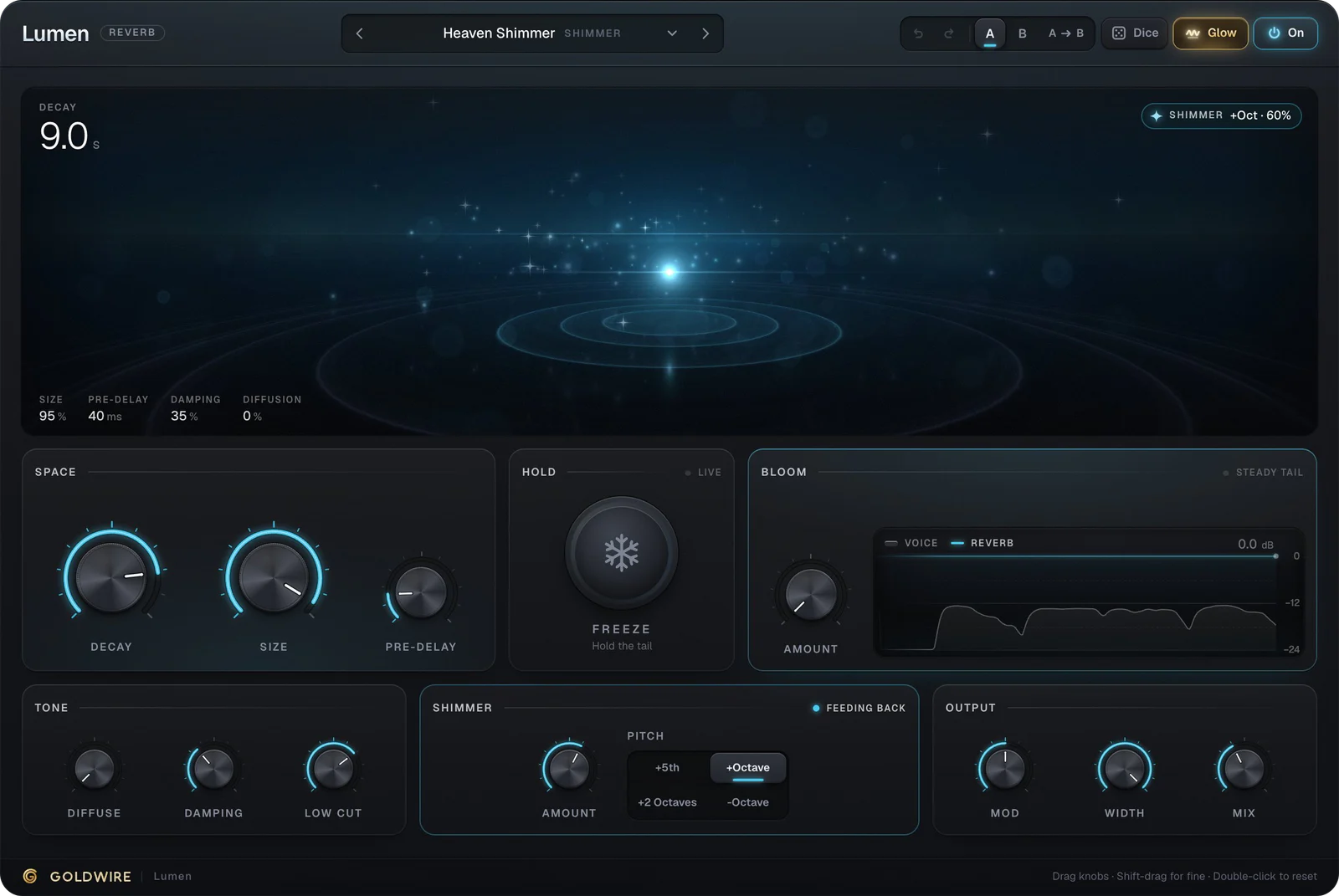
Ours: Lumen is an algorithmic reverb built on an eight-line feedback delay network, with a shimmer stage that shifts the tail up a fifth, an octave or two octaves, or down an octave. Its Snare Plate preset is short and bright: 1.2 seconds of decay, no pre-delay and a 400 Hz low cut, so the drum gets sustain without low-end wash.
- Size
- 40%
- Pre-delay
- 0ms
- Damping
- 25%
Space
Hold
LiveBloom
Steady tailTone
Shimmer
OffOutput
The real plugin engine, running in your browser: same DSP code and presets as the VST3/AU/AAX.
What makes a good reverb plugin
- A clean tail. Long decays shouldn't ring metallically or turn grainy. Modulation inside the tail helps smooth this out.
- Pre-delay, low cut and damping. These three controls are what make a reverb fit a mix instead of fighting it.
- Reasonable CPU. You'll often run two or three instances, so a reverb that eats a whole core gets in the way.
- A sound you like. Plenty of engineers own one clean, natural reverb and one with obvious character, and use both on every mix.
Free reverbs can tick every box here. Valhalla Supermassive, Dragonfly Reverb and TAL-Reverb-4 all cost nothing, and our roundup of the best free reverb plugins compares them.
Reverb settings: starting points by source
- Lead vocal: a plate, 1 to 2 seconds of decay, 20 to 40 ms of pre-delay, low cut around 250 Hz.
- Snare: a plate or small hall, 1 to 1.5 seconds, little or no pre-delay, low cut at 300 to 400 Hz.
- Drum bus: a room under a second long, mixed low enough that you notice it more when it's muted.
- Piano and strings: a hall, 2 to 3 seconds, with damping to keep the top from splashing.
- Pads and ambient parts: a long hall or shimmer, 5 seconds and up, with plenty of modulation.
- Bass: usually none, or a short room with the low cut set high so only the upper harmonics reach it.
Long, slow sounds are where shimmer shines. Lumen's Fifth Cloud preset runs a 7-second decay with the shimmer stage set a fifth up, which gives a brighter, more open bloom than the octave.
- Size
- 90%
- Pre-delay
- 20ms
- Damping
- 40%
Space
Hold
LiveBloom
Steady tailTone
Shimmer
Feeding backOutput
The real plugin engine, running in your browser: same DSP code and presets as the VST3/AU/AAX.
Reverb plugins vs delay for adding space
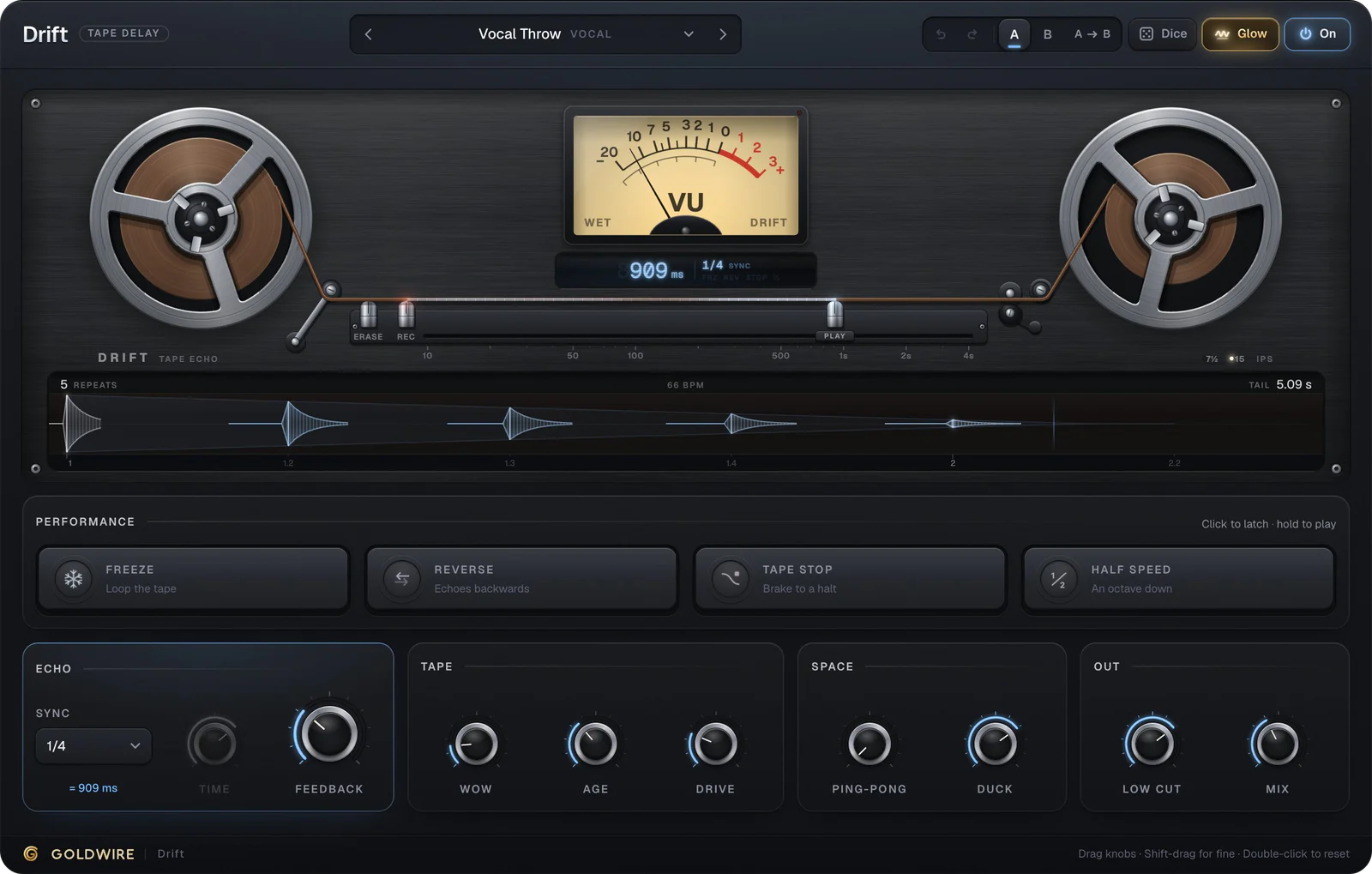
Reverb isn't the only way to give a part depth. A short slapback or a quiet tempo-synced echo adds space while keeping the sound drier and more upfront, which suits rap vocals and busy mixes. Drift handles that job, and its echoes darken on each repeat so they sit behind the dry signal.
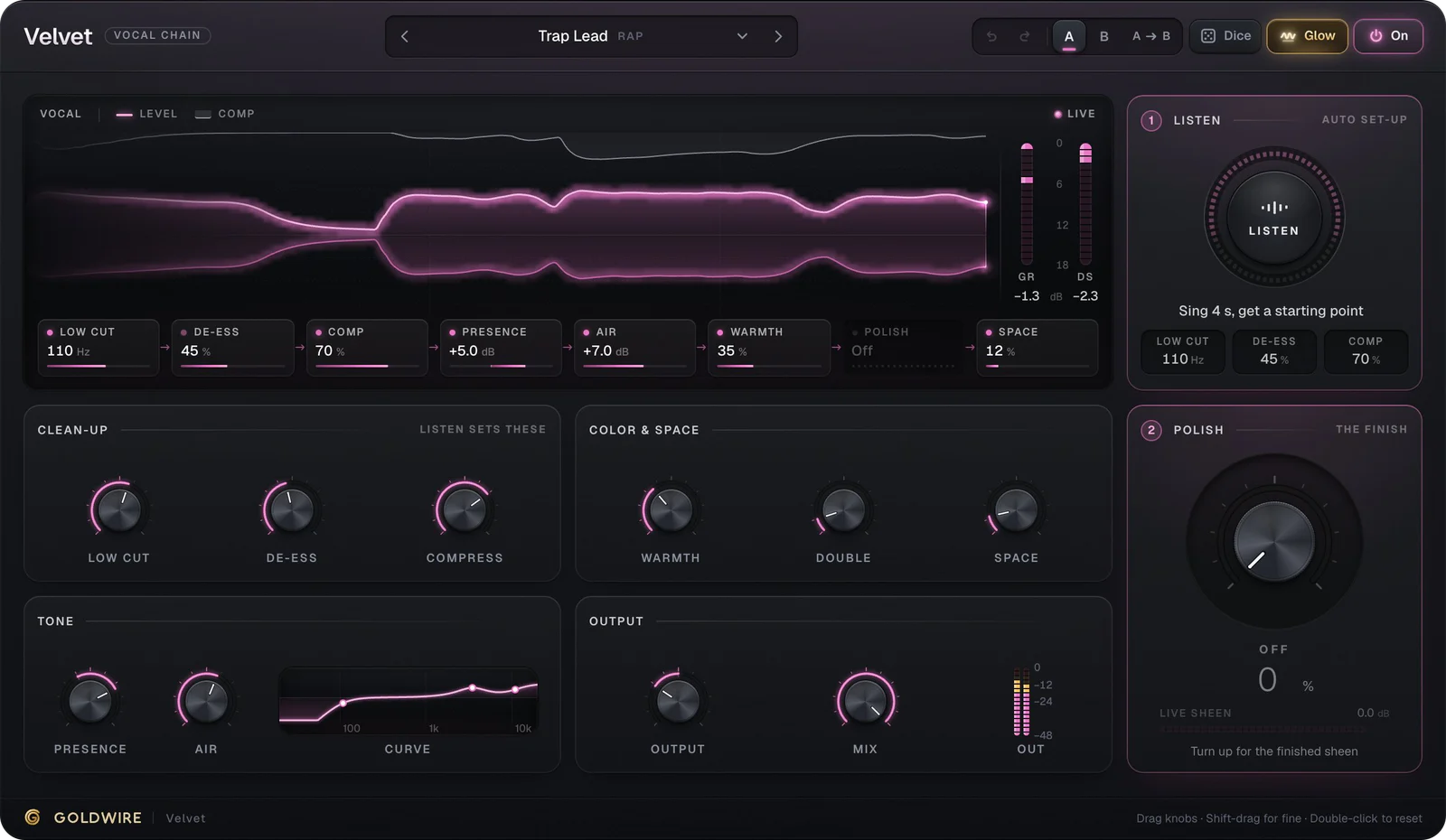
When you use both on one send, delay into reverb is the common order. We explain why in delay or reverb first. If you mix a lot of vocals, Velvet's Space knob adds a short reverb inside the vocal chain itself, which is handy for a quick rough mix.
Reverse reverb effects
A reverse reverb swells into a sound instead of trailing after it, the classic lead-in to a vocal phrase or a snare hit. The traditional method: reverse the audio clip, add a long reverb, render it, then reverse the result and line it up so the swell ends where the dry sound starts. A real-time reverse reverb plugin can't do this exactly, because it would need audio that hasn't played yet. Drift's Reverse pad plays its echoes backwards instead, and its Reverse Vocal Swell preset gives vocals a similar build-up without rendering.
Reverb in Ableton, Pro Tools and FL Studio
Ableton Live: create a return track, load Reverb (or a third-party reverb) at 100% wet, and turn up that return's send on each track. See plugins for Ableton for installing VST3 and AU reverbs.
Pro Tools: add a stereo aux input, put D-Verb or another AAX reverb on it, and send to it from each track through a bus. More in plugins for Pro Tools.
FL Studio: put Fruity Reeverb 2 or Fruity Convolver on a spare mixer insert, then route tracks to it with the send knobs. Plugins for FL Studio covers third-party installs.
Logic Pro: ChromaVerb for algorithmic spaces and Space Designer for convolution are both built in. Use an aux with a bus send.