How to use the jungle break generator
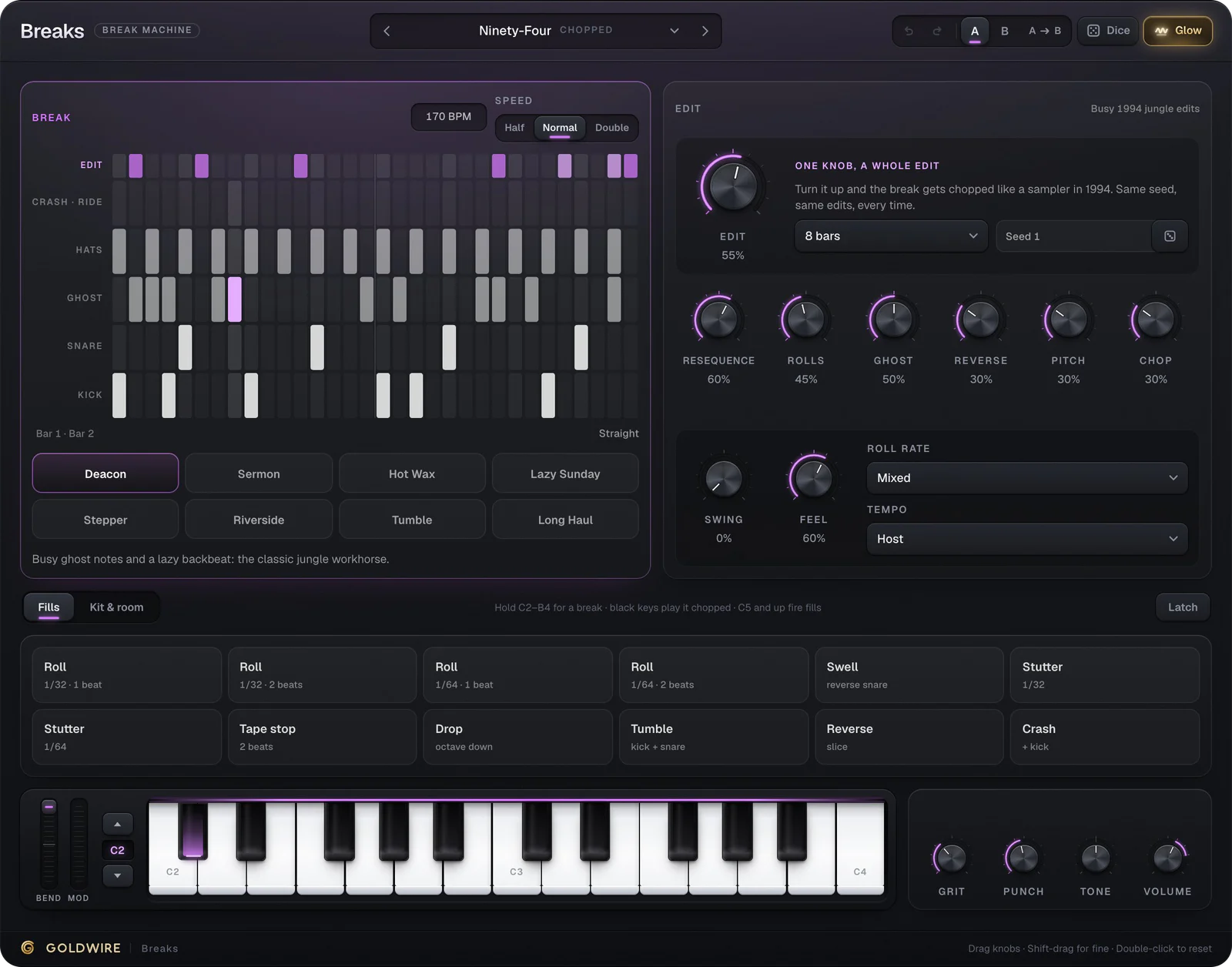
- Press Play demo: the drummer plays two bars straight, then two bars chopped, with a snare roll into the loop.
- Turn Edit up for more chops, and use Resequence, Rolls, Ghost, Reverse, Pitch and Chop to decide what kind.
- Pick one of the eight breaks, change Seed for a new set of edits, and fire fills from the pads or the keys from C5 up.
- Play it from your computer keyboard or a USB MIDI keyboard: white keys pick a break, black keys play it chopped.
Royalty-free breaks, not samples
Most jungle and drum and bass starts from the same few sampled records. These breaks are synthesised: a modelled drummer and kit play original patterns in the style of 70s funk, so nothing needs clearing. In the Breaks plugin everything follows your DAW's tempo and song position, and what you print is yours to release.
Tempo guide
Jungle
- BPM
- 160–170
- Edit setting to start from
- Edit 40–60%, Rolls and Ghost up
Drum and bass rollers
- BPM
- 172–175
- Edit setting to start from
- Edit 20–35%, Stepper or Hot Wax
Liquid DnB
- BPM
- 170–174
- Edit setting to start from
- Edit 10–25%, Lazy Sunday or Long Haul
Breakcore
- BPM
- 170–200
- Edit setting to start from
- Edit 80–100%, Roll rate 1/64, Pitch up
Breakbeat / big beat
- BPM
- 120–135
- Edit setting to start from
- Edit 15–30%, Grit up
More on the sound in what is the Amen break and how to make breakcore.